Subscription Plans
Create and manage the subscription tiers you offer to readers.
Subscription plans define what readers pay for ongoing access to your site. You can offer multiple tiers (e.g. monthly and annual, or basic and premium).
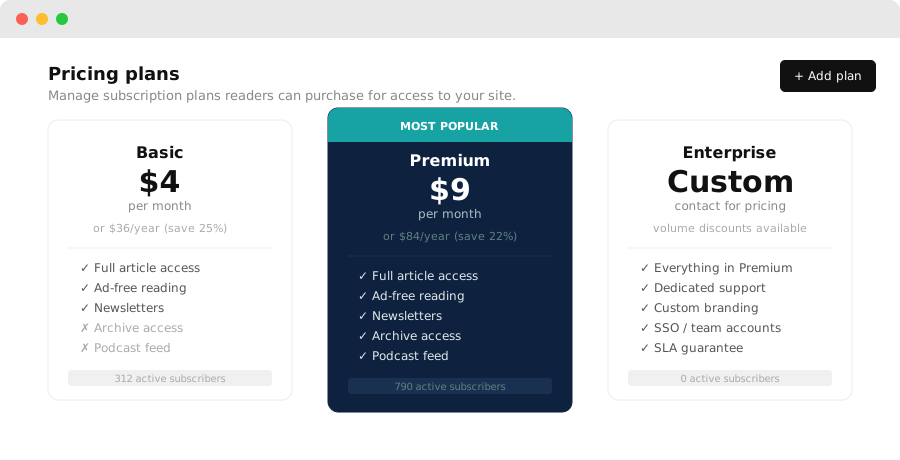
Creating a plan
- Go to Dashboard → Pricing
- Click New plan
- Fill in:
- Name — shown to readers (e.g. "Monthly", "Annual", "Premium")
- Price — in your configured currency
- Billing period — monthly or annual
- Description — a short line shown in the gate overlay
- Click Save
Plans are immediately available to be shown in Subscription gate steps.
Managing plans
From the Pricing page you can:
- Edit a plan's name, description, or price
- Archive a plan — existing subscribers on the plan are not affected, but new readers won't see it
- Set a free trial — offer N days free before the first charge
Plan display in the gate
When a Subscription step fires, readers see a list of your active plans. The plan name, price, and description are shown. Readers choose a plan and pay via your connected payment gateway.
Currency
Your billing currency is set under Dashboard → Settings → General. All plans use this currency.
Coupons and discounts
Coupons are not yet supported. To offer a discounted rate, create a separate plan at the discounted price and make it time-limited by archiving it after the promotion ends.