Gate Steps
Configure the steps readers see inside a gate — subscription, article unlock, ads, lead capture, and digital products.
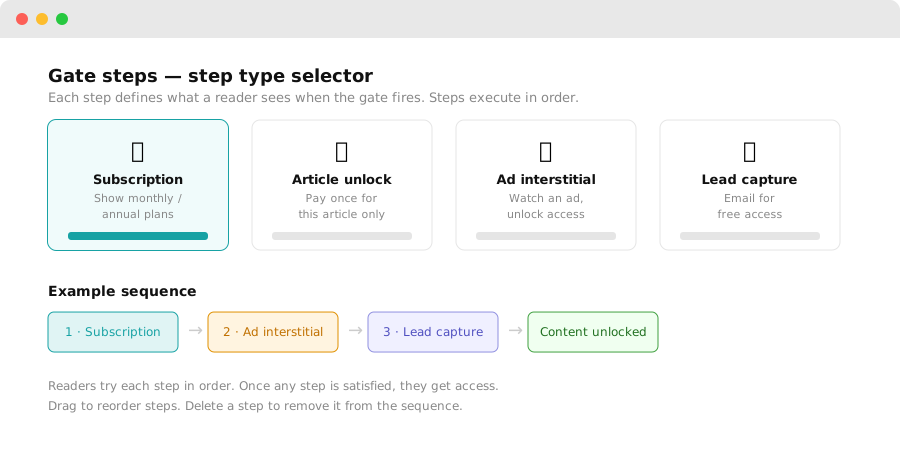
A gate can contain multiple steps. When a reader hits the gate, they see the first step. If they close or decline it, they see the next step (if configured).
Subscription step
Shows a subscription offer. The reader can choose from the plans you've created under Pricing.
Configuration options:
- Choose which plans to display (monthly, annual, or both)
- Customize the headline and description shown to readers
- Set a free trial period (optional)
The reader pays through your connected payment gateway (see Razorpay setup). On successful payment, the gate lifts immediately.
Article unlock step
Lets the reader pay once to access a single article, without a subscription.
Configuration options:
- Set a per-article price (or inherit from your global article-unlock pricing)
- Customize the unlock prompt copy
Article unlocks are stored per-reader so they don't need to pay again if they return to the same URL.
Ad step
Shows a video or display ad. The reader watches/views the ad in exchange for time-limited access to the content.
Configuration options:
- Select which ad units to show (configured under Advertising)
- Set access duration after a completed ad view (e.g. 24 hours, 7 days)
Readers must complete the ad (reach the end of a video, or meet the minimum display time) to receive access.
Lead capture step
Prompts the reader to submit their email address. On submission, they get free access.
Configuration options:
- Customize the prompt headline and body text
- Set what the reader receives: time-limited access, permanent access, or a "thank you" redirect
Captured leads appear under Dashboard → Subscribers → Leads.
Digital product step
Prompts the reader to purchase a downloadable file you've uploaded (e-book, report, template, etc.).
Configuration options:
- Choose which digital product to promote
- Customize the prompt copy and thumbnail
After purchase, the reader receives a download link and gets access to the gated content.
Step order and fallbacks
Steps fire in order. If a reader closes Step 1, they see Step 2 on the next page visit. This lets you build graceful fallback sequences:
Step 1: Subscription  →  If declined...
Step 2: Article unlock  →  If declined...
Step 3: Ad  →  If declined...
Step 4: Lead capture
Readers who complete any step at any point get access to the gated content.