Getting Started
Add Your First Domain
Register your site with OnePaywall and install the embed snippet to start gating content.
Step 1 — Register your domain
- Go to Dashboard → Domains
- Click Add domain
- Enter your site's base URL (e.g.
https://yourblog.com) - Click Save
OnePaywall generates a unique site key for each domain. You'll use this key in the embed snippet.
Step 2 — Install the embed snippet
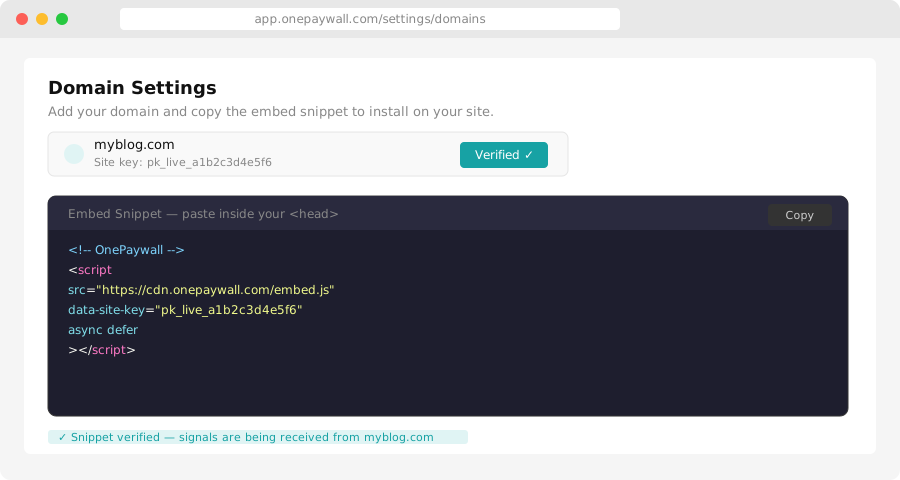
Copy the snippet from Dashboard → Domains → [your domain] → Embed and paste it into the <head> of every page on your site.
<script
  src="https://cdn.onepaywall.com/embed.js"
  data-site-key="YOUR_SITE_KEY"
  defer
></script>
Replace YOUR_SITE_KEY with the key shown in your dashboard.
CMS-specific placement
| CMS | Where to add the snippet |
|---|---|
| WordPress | Appearance → Theme Editor → header.php, inside <head> |
| Ghost | Settings → Code injection → Site header |
| Webflow | Project settings → Custom code → Head code |
| Squarespace | Settings → Advanced → Code injection → Header |
| Custom HTML | Inside the <head> tag of your base template |
Step 3 — Verify the installation
After adding the snippet, go back to Dashboard → Domains → [your domain] and click Verify. OnePaywall checks that the script is loading correctly on your site.
A green Verified badge means the embed is active. You're ready to create gates.
Next steps
- Create your first gate — Define which content is gated and what readers see
- Set up subscription pricing — Choose your plans and prices
- Connect a payment gateway — Accept reader payments